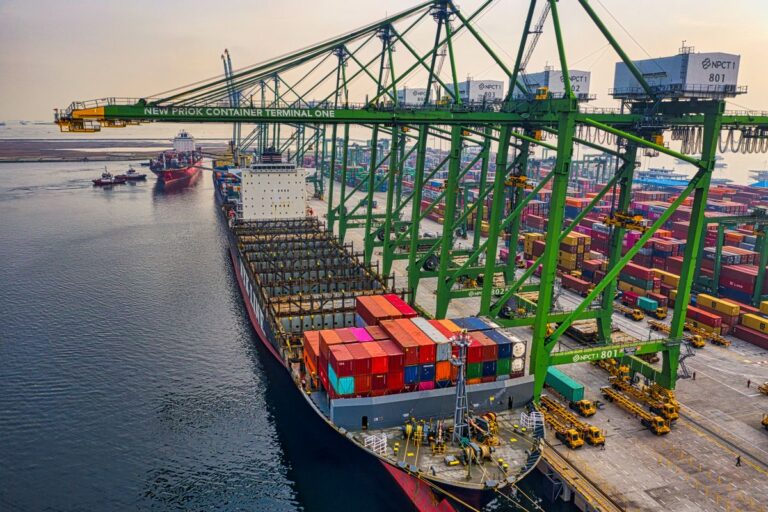
Shipping from China to Amazon FBA Canada starts at the packing table. Before your supplier seals the cartons, match the quantities on the commercial invoice to your Amazon shipment plan. Then check both against the boxes your carrier will collect. A mismatch can cost you a second pickup or a day of relabelling.
Suppose you have 480 desk organisers ready in Ningbo. Here’s how to compare quotes, clear Canadian customs and give the delivery driver what they need to reach the right receiving dock.
Start with the Amazon shipment plan
Open Send to Amazon in your Canadian Seller Central account. Select the SKUs and quantities, enter the ship-from address and record how the supplier packs the units. Use the destination and shipment identifiers Amazon assigns to that shipment. Even if your last load went to Ontario, give the forwarder the address on the new plan.[1]
Ask the factory for the gross weight and outside dimensions of a finished carton. If it packs 24 organisers per carton, your plan should show 20 cartons. If the factory later switches to 16 units per carton, you now have 30 boxes. Update the packing information and check the labels before releasing the goods.
Compare the cost of shipping from China to Amazon FBA Canada
Ask each forwarder to price the same cargo, pickup date and Amazon destination in Canadian dollars. For air freight, request the chargeable weight, since bulky cartons can cost more than their scale weight suggests. For a shared ocean container, request the billed volume and the minimum charge. Then compare what each price covers.
- At origin. Check factory pickup, export handling, consolidation and any work to prepare cartons or pallets.
- On arrival. Separate international freight, terminal handling, customs brokerage, duty and import GST.
- At the dock. Check final delivery, appointment booking and potential charges for waiting, storage or a second attempt.
Consider two illustrative quotes for those 480 units. Quote A lists CAD 1,350 for pickup and freight, plus CAD 280 for terminal handling and CAD 170 for delivery. That totals CAD 1,800, or CAD 3.75 per unit. Quote B includes the same three services for CAD 1,680, or CAD 3.50 per unit. B saves CAD 120 on this load. Both examples exclude brokerage, duty, tax and Amazon seller fees. Ask for those lines separately before calculating your margin.
When is it worth sending some cartons by air?
Suppose you sell 12 organisers a day. Your stock will run out ten days before the ocean shipment is ready for sale at Amazon. That leaves a gap of 120 units, or five cartons of 24. Ask when the air shipment would be ready for sale, allowing time for Amazon to receive it. If it can cover the gap, get a quote for five cartons by air and 15 by sea. Include both delivery charges. Divide the extra cost over the all-ocean option by 120, then compare that figure with the margin you earn on each sale.
Settle Canadian customs before pickup
First, agree who will act as importer of record. Amazon requires imported FBA inventory to arrive on Delivered Duty Paid (DDP) terms. It will neither act as importer nor accept freight, duties or taxes payable at delivery. Have the broker confirm the importer’s legal name and account details before the supplier dispatches anything.[2]
If your business imports the goods, arrange its business number and import program account, register in the CARM Client Portal and delegate authority to your broker. A non-resident importer has additional registration steps. Leave time for these before booking the crossing.[3]
Give the broker the invoice, packing list, country of origin, product materials and intended use. “Steel mesh desk organiser” tells the broker more than “office supplies.” Ask them to confirm the Canadian tariff classification, value for duty and any product-specific measures. Most taxable commercial imports incur 5% GST at the border on a base that includes applicable customs duty. Keep the customs accounting records if your business intends to claim an eligible input tax credit.[4][5]
For a closer look at which party pays each charge, see GFWE’s China to Canada DDP shipping guide.
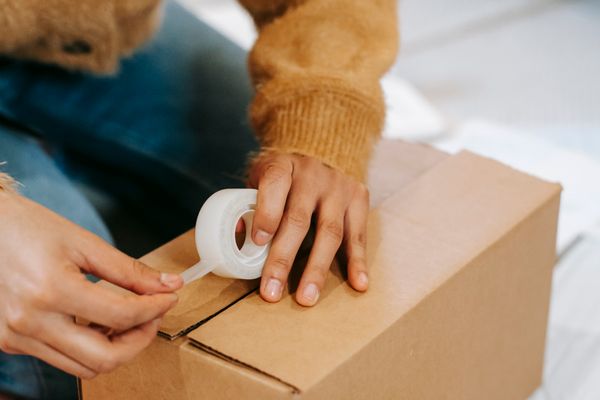
Check unit, carton and pallet labels
A unit barcode identifies the item a customer buys. An FBA box ID identifies the shipping carton Amazon receives. Check the barcode and prep instructions for each SKU in Seller Central, including any bagging or protective packaging. Ask the factory for a photo of one finished unit before it packs the batch.[1]
Print a unique FBA box ID for each carton. For small parcels, put that ID and the carrier label on flat, visible surfaces, clear of tape seams and corners. For pallet freight, keep the carton IDs in place and attach the four pallet labels, one near the top centre of each side. Take photos before collection so the receiving team’s box count can be traced back to the factory.[6]
Book the final delivery and track receipt
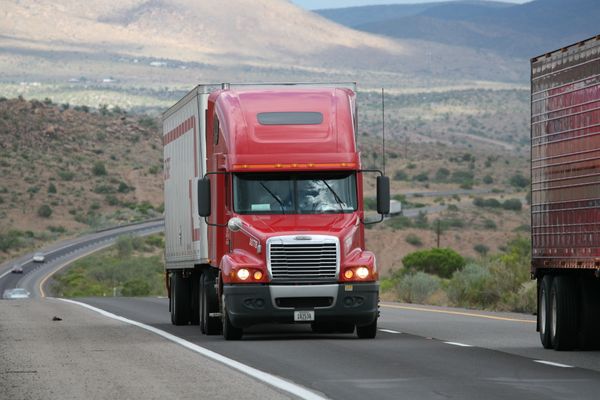
For small parcels, match each tracking number to its carton. For less-than-truckload or full-truckload freight, give the carrier the bill of lading, shipment IDs and Amazon reference numbers. The carrier uses Carrier Central to request a dock appointment. Ask for the confirmed slot before dispatching the delivery truck.[7]
Keep the proof of delivery and follow the shipment in Seller Central. A signed delivery receipt records the carrier’s handover. Amazon still needs to receive and count the inventory. If quantities differ, compare Amazon’s received count with the packing list, carton photos and delivery receipt.[1]
Request a quote for your Canadian FBA shipment
Request a China-to-Canada FBA freight quote from TONCENT. Send the pickup city, cargo-ready date, product description, carton measurements, total weight and assigned fulfilment centre. Include your importer arrangement and specify parcel or pallet delivery. Ask for the price through the receiving dock, the exclusions and who will book the appointment.
Frequently asked questions
Can my supplier ship directly to Amazon in Canada?
Yes, if you set up the shipment in Seller Central, arrange Canadian import clearance and meet the receiving requirements. Send the supplier the labels for that specific shipment and confirm all delivery charges in advance.[1][2]
Should I choose air or ocean freight for a restock?
Start with the date your current stock will run out. Compare each route’s estimated arrival at the fulfilment centre, including clearance and delivery. If ocean freight would leave a gap, price a small air shipment to cover it and send the balance by sea.
What if the supplier changes a carton after I print the labels?
Pause collection. Reconcile the final carton contents and measurements with your shipment in Seller Central. Follow the workflow to make the correction and print the labels it assigns. Remove obsolete labels before the carrier collects the boxes.[1][6]
References
- Amazon Canada. Fulfilment by Amazon for beginners.
- Amazon Seller Central Canada. Delivering imports to Amazon.
- Canada Border Services Agency. Set up your business to import.
- Canada Border Services Agency. Select the duties and taxes that apply.
- Canada Revenue Agency. GST/HST on imports and exports.
- Amazon Seller Central Canada. Shipping label requirements when sending to FBA.
- Amazon Seller Central Canada. Truckload delivery to Amazon.
Cover photo by Tima Miroshnichenko / Pexels. All photographs illustrate shipping activities.
Written by
Elena
Contributor at GFWE -- Global Freight World E-Alliance